
 For the past few weeks it would appear that some Android based virus got into the blog somehow and was affecting all Android users from getting onto the blog without some annoying trojan pop up preventing them from doing so. After numerous attempts to sort it out locally, we finally had to take it to the next level and hire a proper company to sort it out for us. And that they did. However, as with computers storing information, the problem does not simply go away on your phone or tablet until you clear cache.
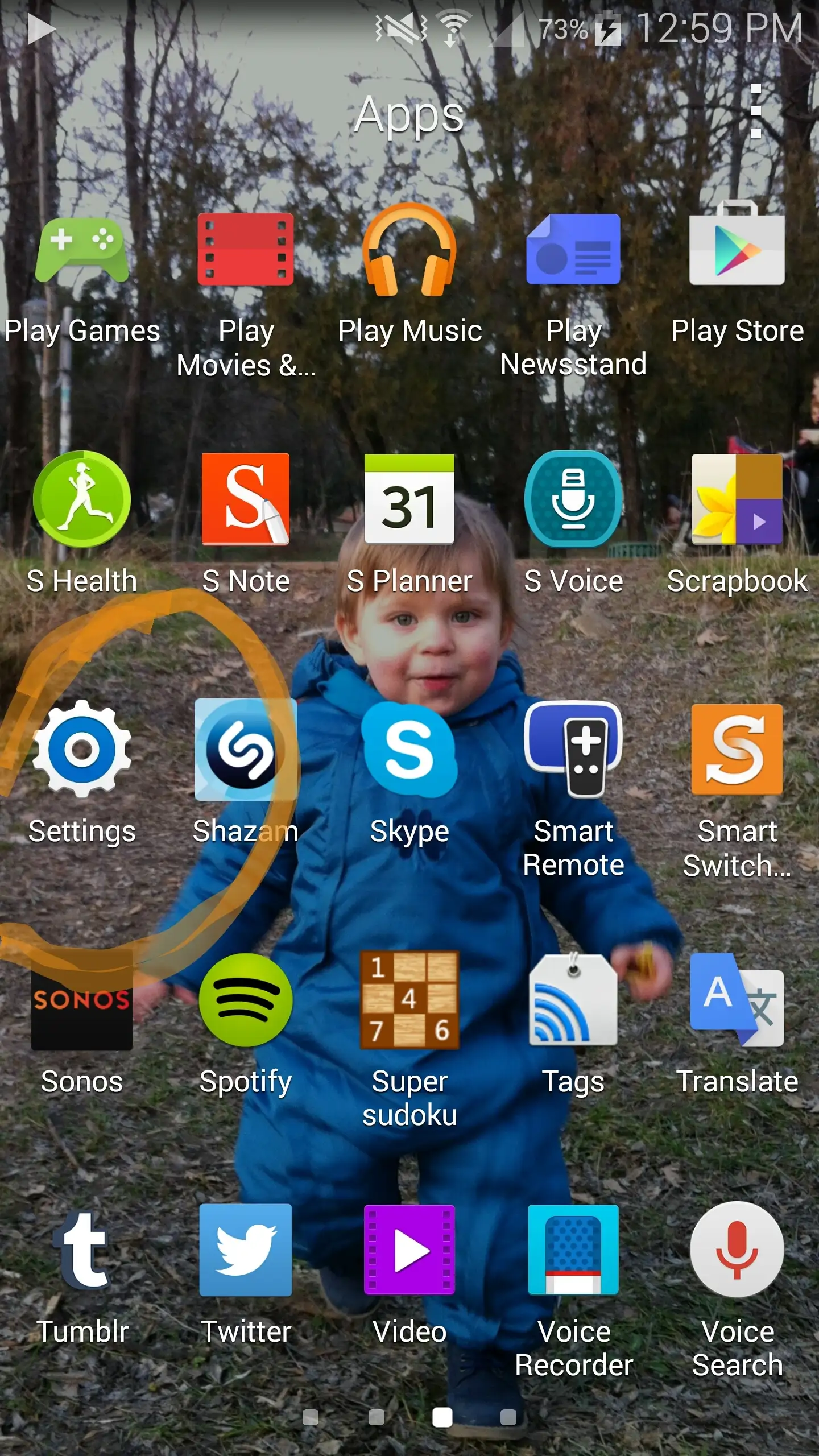
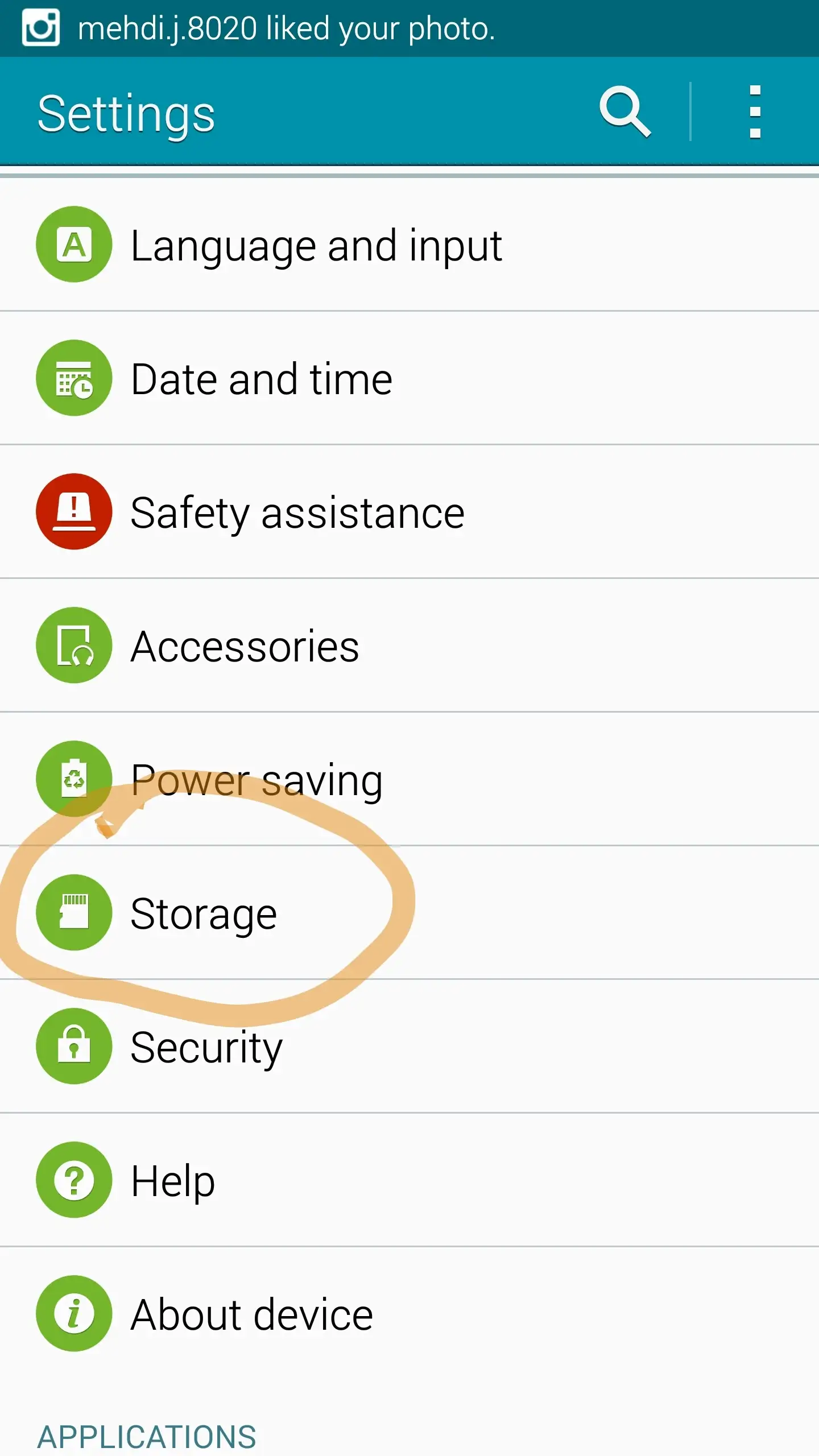
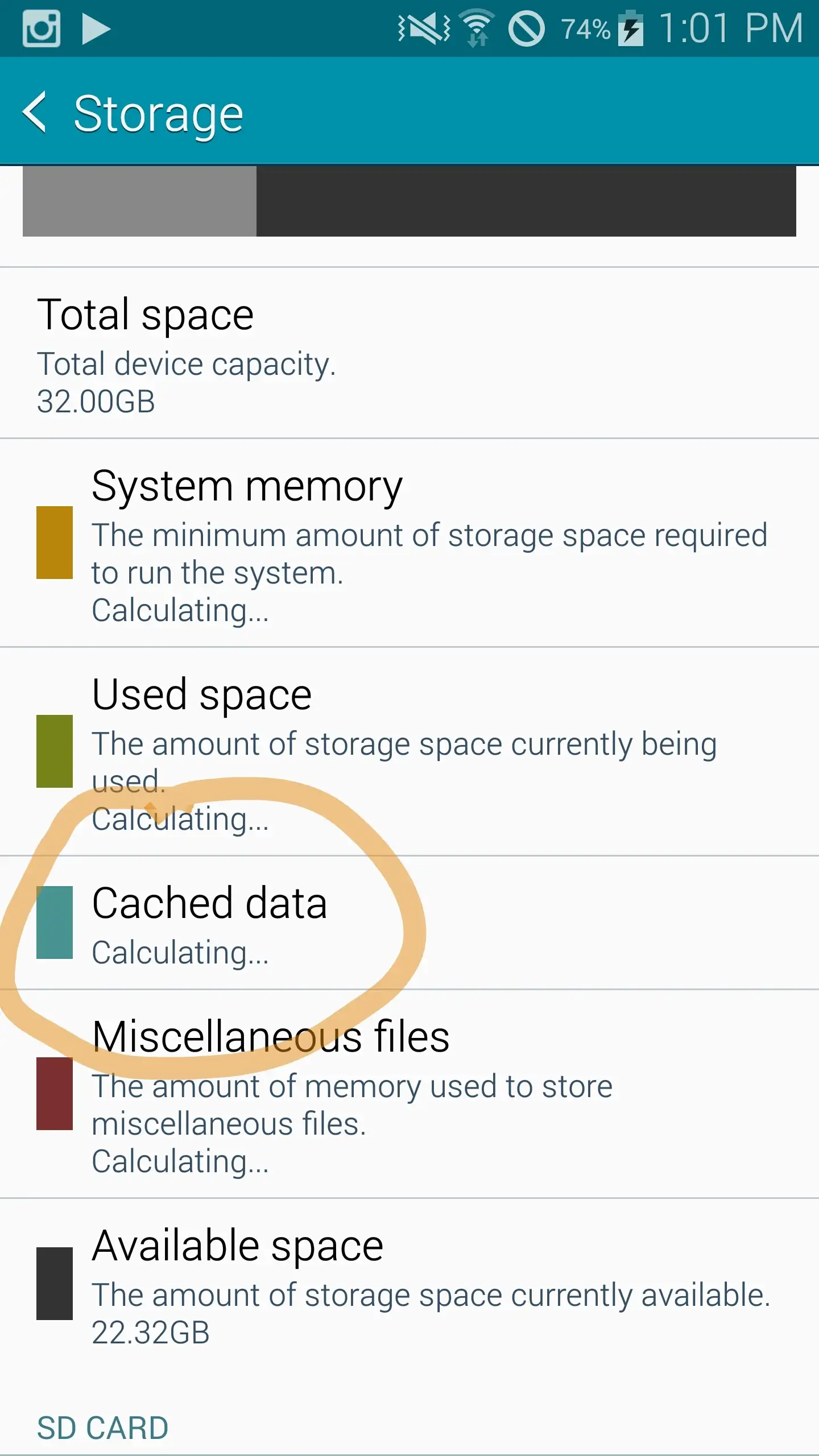
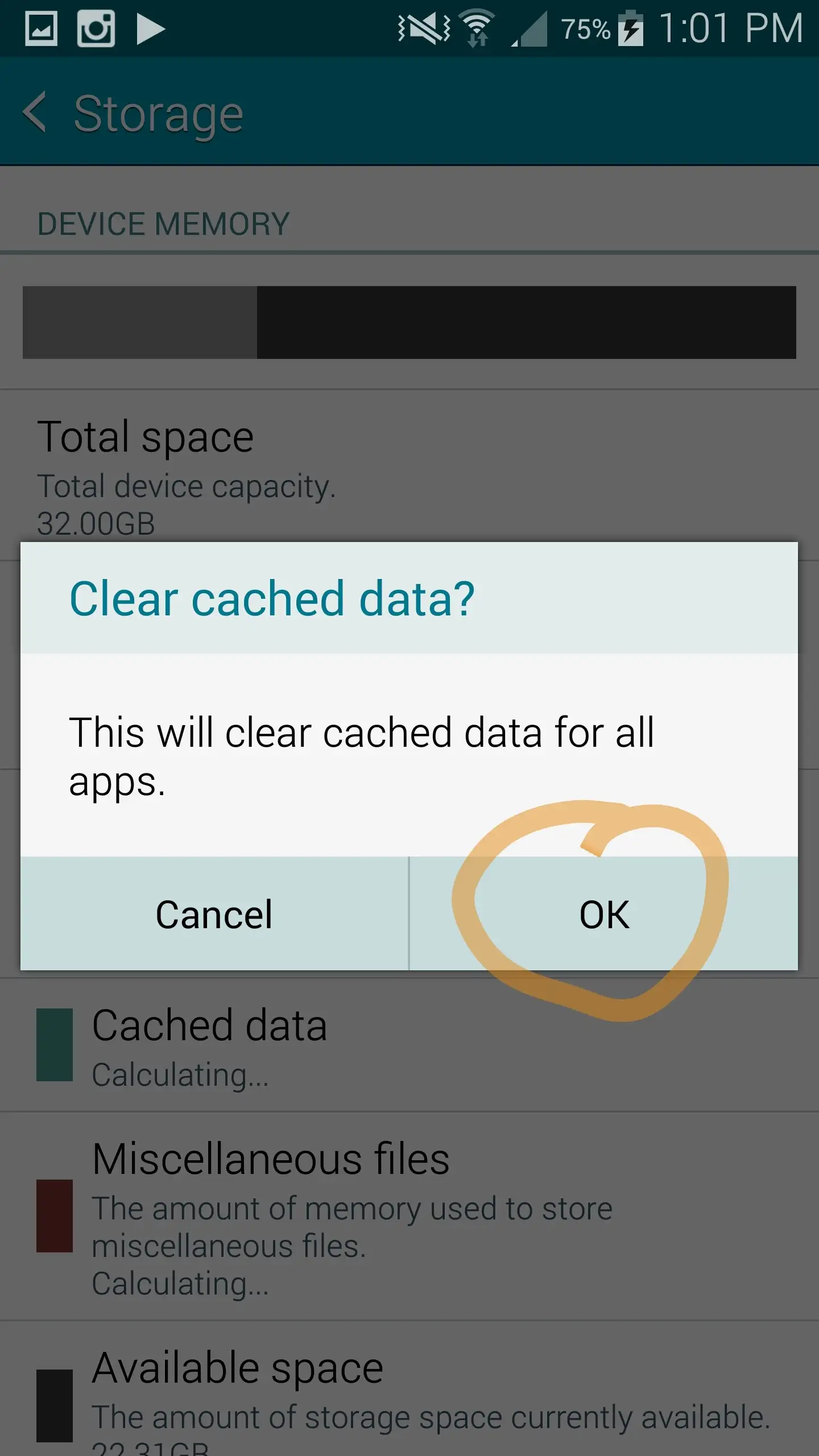
Clearing your cache is simple and will not affect anything on your device. It is mainly for storing data, but not your passwords or anything that you will have to go to trouble to re-do or replace. In order to clear your cache you have to go to your device’s main settings. Once there, go to ‘Storage’ and then you will see the Cache Data. Click on that and then clear it and you will be able to safely browse the blog again on your Android phone or tablet. I have attached screenshots for those that may have trouble doing so.
I wish everyone a great weekend!
Justin, “The Shoe Snob”
















Great! Appreciate the effort Justin =)